- Download SFTP Client FileZilla
- Go to https://filezilla-project.org/
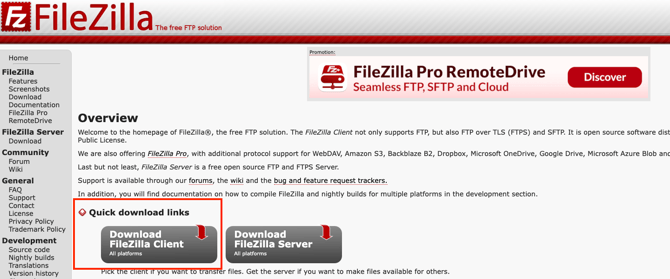
- Click the Download FileZilla client Download link
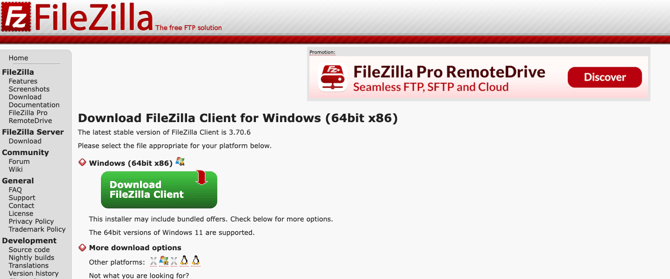
c. If using Windows, click the green Download Now button
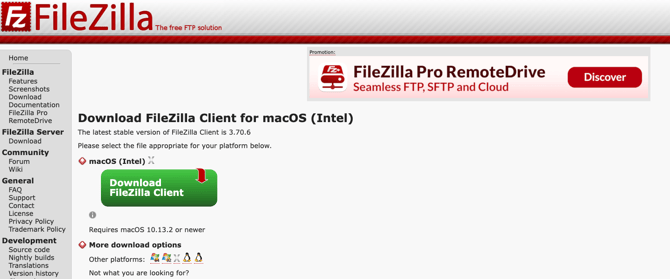
d. If using Mac OS, click the “Show additional download options” link under More download options, on the following page, click the FileZilla link under Mac OSx to start the download
Once the download is complete, run the program and complete the wizard with the recommended settings to finish the installation process
FileZilla-Connect to Client SFTP
Once FileZilla is successfully installed, open FileZilla.
Click the File option in the top-left corner and select Site Manager
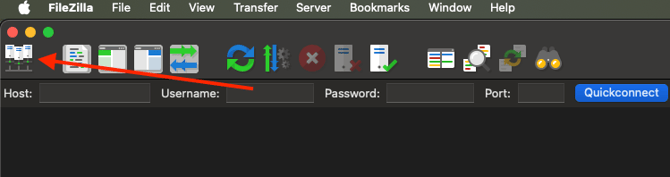
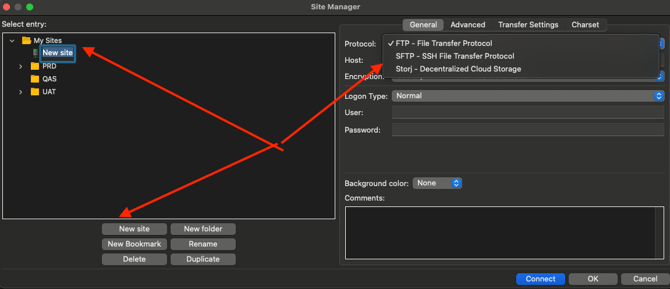
- Click the New Site button (Optional: Click Rename button and rename)
- Host: ftp.repspark.net
- Select Protocol dropdown: SFTP - SSH File Transfer Protocol
- Select LogonType: Normal
- Username:
- Password:
- Click OK to save the newly added site